
Email Security
Email has become one of the most important communication tools in the modern world. Individuals, businesses, schools, hospitals, banks, and governments all rely on email to send and receive information every day. While email offers speed and convenience, it is also one of the biggest targets for cybercriminals.
Millions of phishing emails, malware attacks, and business email compromise scams are sent every day. A single insecure email can expose personal information, financial records, passwords, or confidential business data.
This is where Email Security becomes essential.
Email security refers to the technologies, strategies, and best practices used to protect email accounts, email messages, and email systems from unauthorized access, cyberattacks, and data theft.
This comprehensive guide explains everything you need to know about email security, including common threats, protection methods, security tools, and the latest best practices for 2026.
What Is Email Security?
Email security is the process of protecting email communication from cyber threats. It involves multiple layers of protection that work together to prevent hackers from stealing information or infecting devices.
Email security includes:
- Spam filtering
- Malware protection
- Phishing detection
- Email encryption
- Authentication protocols
- Secure email gateways
- Data loss prevention
- Multi-factor authentication
The main objective is to ensure that every email sent or received remains confidential, authentic, and secure.
Why Is Email Security Important?
Email is responsible for a large percentage of cyberattacks worldwide.
Attackers know that people trust email more than many other communication methods. Because of this, they frequently send fake emails designed to trick users into revealing sensitive information.
Without proper email security, users may experience:
- Identity theft
- Financial fraud
- Data breaches
- Ransomware attacks
- Password theft
- Corporate espionage
- Privacy violations
For businesses, a single email attack can result in millions of dollars in damages, legal issues, and loss of customer trust.
How Email Works
Understanding how email works helps explain why security is so important.
A typical email travels through several steps:
- The sender writes an email.
- The email is sent to an outgoing mail server.
- The server transfers the message across the internet.
- The receiving mail server accepts the message.
- The recipient downloads the email.
During this process, attackers may attempt to:
- Intercept messages
- Spoof the sender’s address
- Attach malicious files
- Redirect emails
- Steal login credentials
Modern email security systems monitor every stage of this journey to detect and block suspicious activity.
Common Email Security Threats
1. Phishing Attacks
Phishing is one of the most common email threats.
Cybercriminals send fake emails pretending to be trusted organizations such as banks, online stores, or employers. Their goal is to trick recipients into clicking malicious links or sharing passwords.
Example
An email claims:
“Your account has been suspended. Click here to verify your identity.”
The link actually leads to a fake website that steals login credentials.
2. Spear Phishing
Unlike regular phishing, spear phishing targets specific individuals.
Attackers research their victims and create personalized emails that appear genuine.
For example:
- CEO impersonation
- HR department requests
- Payroll updates
- Vendor payment requests
These attacks have a much higher success rate because they appear legitimate.
3. Business Email Compromise (BEC)
BEC attacks target organizations.
Hackers impersonate executives or trusted partners and request:
- Wire transfers
- Invoice payments
- Employee payroll changes
- Confidential company data
BEC attacks have caused billions of dollars in financial losses worldwide.
4. Malware
Malware can arrive through:
- Email attachments
- Fake invoices
- ZIP files
- Office documents
- PDF files
- Download links
Once installed, malware may:
- Steal passwords
- Encrypt files
- Spy on users
- Record keystrokes
- Spread across networks
5. Ransomware
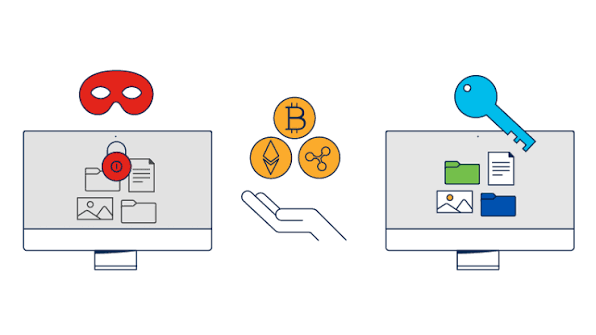
Ransomware locks files and demands payment for recovery.
Most ransomware infections begin with a malicious email attachment.
Victims often lose access to:
- Business files
- Financial documents
- Databases
- Customer information
6. Spam
Spam emails are unwanted messages sent in large volumes.
Although many spam emails are harmless advertisements, others contain:
- Fraudulent offers
- Fake prizes
- Dangerous links
- Malware
Spam filters play an important role in email security.
7. Email Spoofing
Email spoofing occurs when attackers forge the sender’s address.
The email appears to come from:
- Your bank
- Your employer
- Government agencies
- Friends
- Family members
Modern authentication technologies help detect spoofed emails.
8. Credential Theft
Many attackers focus on stealing usernames and passwords.
Methods include:
- Fake login pages
- Password reset scams
- Cloud storage phishing
- Office 365 phishing
- Gmail phishing
Once credentials are stolen, attackers may gain access to multiple online accounts.
Benefits of Strong Email Security
A strong email security strategy provides many advantages.
Protects Sensitive Data
Personal and business information remains confidential.
Prevents Financial Loss
Organizations avoid fraudulent transactions and ransomware payments.
Improves Customer Trust
Customers prefer businesses that protect their personal information.
Supports Compliance
Many industries must follow strict security regulations regarding customer data.
Reduces Downtime
Preventing cyberattacks helps businesses continue operating without interruption.
Protects Brand Reputation
A company that experiences a major email breach may lose customer confidence.
Strong security reduces this risk.
Who Needs Email Security?
The answer is simple:
Everyone.
Individuals
- Personal email accounts
- Online banking
- Shopping accounts
- Social media accounts
Small Businesses
Small companies are increasingly targeted because they often have weaker security.
Large Enterprises
Large organizations process thousands of emails every day, making advanced protection essential.
Government Agencies
Governments exchange sensitive information that must remain secure.
Healthcare Providers
Medical records contain highly sensitive personal data.
Educational Institutions
Schools and universities store student records and research information.
Financial Institutions
Banks and investment firms require some of the strongest email security systems available.
Key Components of Email Security
Effective email security includes several technologies working together.
Spam Filters
These automatically block unwanted emails before they reach inboxes.
Antivirus Protection
Scans attachments for malicious software.
Anti-Phishing Detection
Identifies suspicious websites and fake login pages.
Email Encryption
Protects email content while it travels across the internet.
Only authorized recipients can read encrypted messages.
Multi-Factor Authentication
Requires a second verification step before allowing access.
Examples include:
- SMS codes
- Authentication apps
- Security keys
- Biometrics
Email Authentication
Authentication technologies help verify that an email truly comes from the claimed sender.
These reduce spoofing attacks significantly.
Best Practices for Email Security
Follow these essential practices to reduce risk:
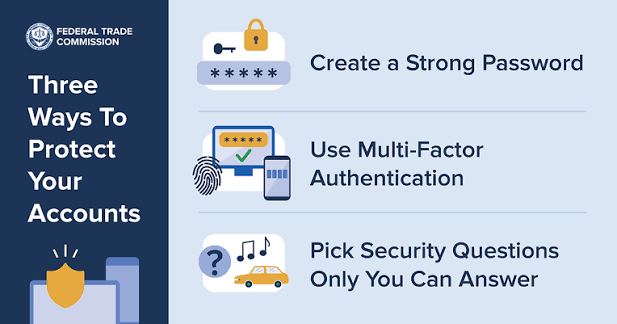
- Use strong, unique passwords.
- Enable multi-factor authentication.
- Never click suspicious links.
- Verify unexpected payment requests.
- Keep software updated.
- Scan email attachments before opening them.
- Back up important files regularly.
- Use trusted email providers.
- Avoid public Wi-Fi for sensitive email access unless using a secure VPN.
- Report phishing attempts to your email provider or IT team.
Even simple habits can greatly improve your security posture.
Frequently Asked Questions (FAQs) About Email Security
1. What is email security?
Email security is the process of protecting email accounts, messages, and systems from cyber threats such as phishing, malware, spam, ransomware, and unauthorized access. It uses security technologies and best practices to keep email communication safe.
2. Why is email security important?
Email security is important because email is one of the most common targets for cybercriminals. Strong security helps protect sensitive information, prevents financial fraud, reduces the risk of data breaches, and keeps personal and business communications secure.
3. What are the most common email security threats?
The most common email security threats include:
- Phishing attacks
- Spam emails
- Malware
- Ransomware
- Business Email Compromise (BEC)
- Email spoofing
- Credential theft
- Malicious attachments
4. How can I identify a phishing email?
You can identify a phishing email by checking for:
- Suspicious sender addresses
- Urgent or threatening language
- Grammar and spelling mistakes
- Unexpected attachments
- Fake login pages
- Links that do not match the official website
5. What is email encryption?
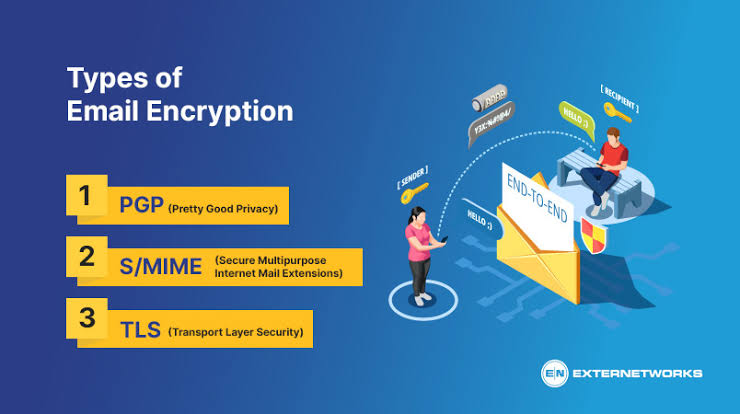
Email encryption converts email content into unreadable code during transmission. Only the intended recipient with the correct decryption key can read the message, helping protect sensitive information from unauthorized access.
Conclusion: Email Security
In today’s digital world, email has become an essential part of personal and professional communication. However, the increasing number of cyber threats makes email security more important than ever. Phishing attacks, malware, ransomware, email spoofing, and data theft can put individuals and organizations at serious risk.
A strong email security strategy helps protect confidential information, prevent unauthorized access, and reduce the chances of cyberattacks. By using advanced security solutions such as email encryption, spam filtering, multi-factor authentication, and authentication protocols like SPF, DKIM, and DMARC, users can create a safer email environment.
Email security is not only the responsibility of technology providers but also depends on user awareness and safe online habits. Avoiding suspicious links, using strong passwords, verifying unknown requests, and keeping security systems updated are simple steps that can make a major difference.
As cybercriminals continue to develop new techniques, staying informed and adopting modern email security practices is essential. Whether you are an individual, a small business owner, or part of a large organization, protecting your email communication helps safeguard your privacy, data, and digital identity.
Email security is essential for protecting personal and business communication from cyber threats. By using strong passwords, encryption, spam protection, and multi-factor authentication, users can prevent unauthorized access and keep sensitive information safe. Strong email security practices help create a safer digital environment and reduce the risk of phishing, malware, and data breaches