
In today’s digital world, almost everything we do involves the internet. From online banking and shopping to social media and remote work, our personal and professional lives depend on technology. While this convenience has many benefits, it also comes with risks. Cybercriminals are constantly looking for ways to steal sensitive information, and often, they don’t need advanced hacking techniques—they simply take advantage of common human mistakes.
The good news is that many cybersecurity threats can be prevented by developing better online habits. Below are ten common cybersecurity mistakes that could put your data at risk and practical ways to avoid them.
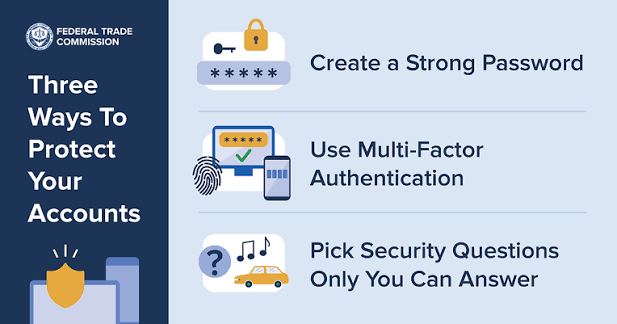
1. Using Weak or Reused Passwords
One of the biggest mistakes people make is using simple passwords like “123456,” “password,” or their birthdate. Even worse, many users reuse the same password across multiple accounts.
If one account is compromised, hackers can use the same credentials to access your email, banking, or social media accounts.
How to stay safe:
- Create strong passwords with at least 12–16 characters.
- Use a combination of uppercase letters, lowercase letters, numbers, and special characters.
- Never reuse passwords across different accounts.
- Consider using a password manager to generate and store secure passwords.
2. Ignoring Software Updates
Software updates are not just about adding new features. Many updates include security patches that fix vulnerabilities discovered by developers.
Delaying updates gives cybercriminals more time to exploit known security flaws.
How to stay safe:
- Enable automatic updates whenever possible.
- Regularly update your operating system, browser, antivirus software, and mobile apps.
- Remove software that is no longer supported by the developer.
3. Falling for Phishing Emails
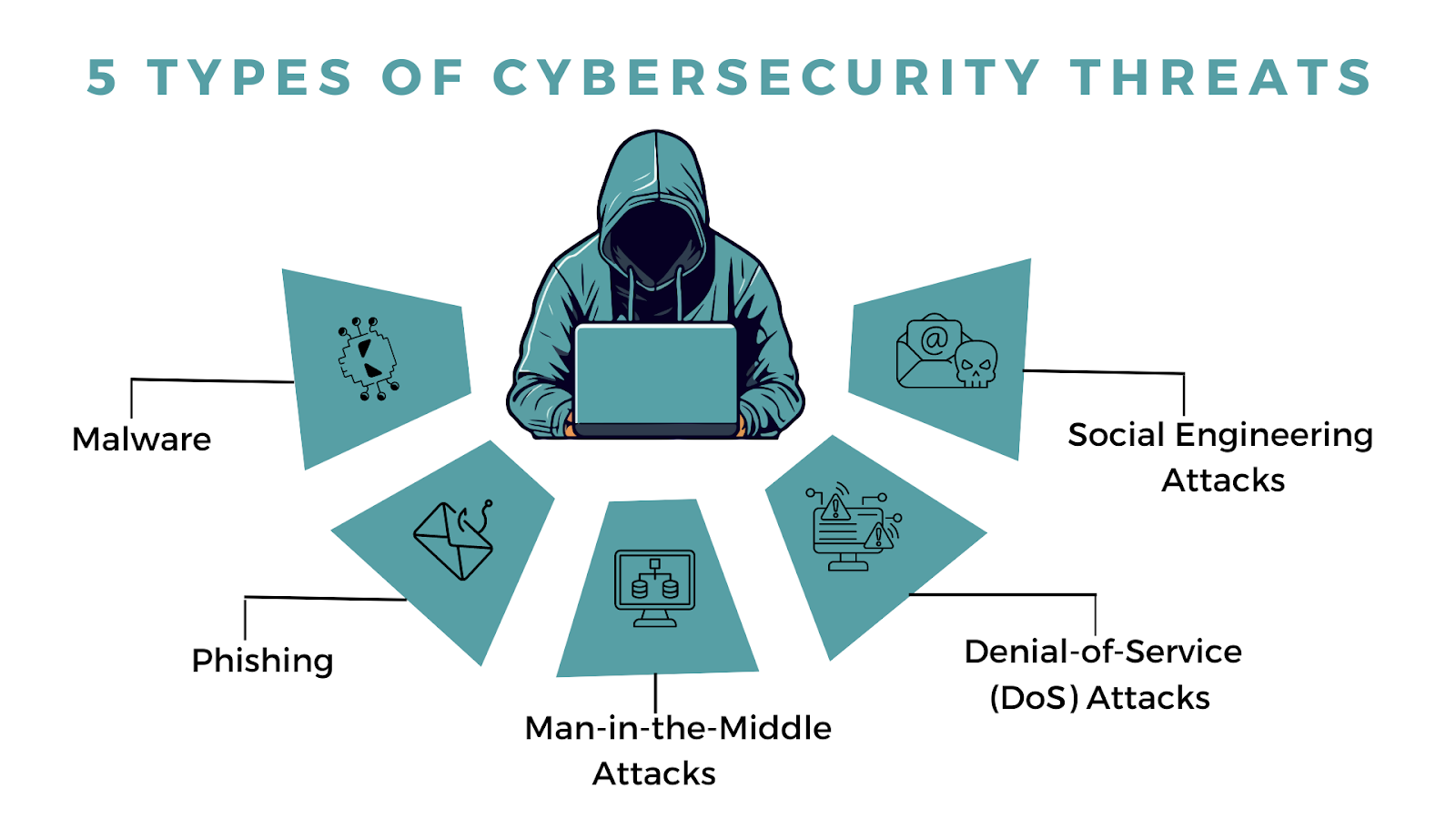
Phishing attacks are one of the most common cyber threats today. Attackers send emails or messages pretending to be trusted organizations to trick users into revealing passwords, financial details, or other sensitive information.
These emails often create urgency by claiming your account will be suspended or that you’ve won a prize.
How to stay safe:
- Verify the sender before clicking any links.
- Avoid downloading unexpected attachments.
- Never share passwords or financial information through email.
- Look for spelling errors and suspicious email addresses.
4. Not Using Multi-Factor Authentication (MFA)
Many people rely only on a password to protect their accounts. Unfortunately, passwords alone are no longer enough.
Multi-factor authentication adds another layer of security by requiring a second verification step, such as a code sent to your phone or generated by an authentication app.
How to stay safe:
- Enable MFA on email, banking, social media, and work accounts.
- Use an authenticator app instead of SMS whenever possible.
- Keep backup recovery codes in a safe location.
5. Connecting to Unsecured Public Wi-Fi
Free public Wi-Fi is convenient, but it can also expose your personal information if the network isn’t secure.
Hackers can intercept data transmitted over unsecured networks, potentially stealing login credentials or financial information.
How to stay safe:
- Avoid accessing sensitive accounts while on public Wi-Fi.
- Use a trusted Virtual Private Network (VPN).
- Turn off automatic Wi-Fi connections on your devices.
6. Downloading Files from Untrusted Sources
Many malware infections begin with downloading pirated software, fake applications, or email attachments from unknown sources.
Once installed, malicious software can steal data, encrypt files, or spy on user activity.
How to stay safe:
- Download software only from official websites or trusted app stores.
- Scan files before opening them.
- Avoid cracked software and suspicious downloads.
7. Oversharing Personal Information Online
Many people unknowingly provide valuable information to cybercriminals through social media. Details like birthdays, pet names, schools, or addresses can help attackers guess passwords or answer security questions.
How to stay safe:
- Limit the amount of personal information you share publicly.
- Adjust your privacy settings on social media platforms.
- Be cautious when participating in online quizzes that ask personal questions.
8. Neglecting Data Backups
Data loss can happen because of ransomware, hardware failure, accidental deletion, or natural disasters.
Without backups, recovering important files may be impossible.
How to stay safe:
- Follow the 3-2-1 backup strategy:
- Keep three copies of your data.
- Store them on two different types of storage.
- Keep one copy offsite or in secure cloud storage.
- Test your backups regularly to ensure they work.
9. Ignoring Antivirus and Security Software
Some users believe antivirus software slows down their computers or is unnecessary. However, modern security software helps detect malware, ransomware, spyware, and other threats before they cause damage.
How to stay safe:
- Install reputable antivirus software.
- Keep virus definitions updated.
- Schedule regular system scans.
- Don’t disable security features unless absolutely necessary.
10. Assuming “It Won’t Happen to Me”
Perhaps the most dangerous cybersecurity mistake is believing you’re not a target.
Cybercriminals don’t only attack large companies. They also target individuals, students, freelancers, and small businesses because they often have weaker security practices.
Cybersecurity is about preparation, not reacting after an attack occurs.
How to stay safe:
- Stay informed about emerging cyber threats.
- Review your online security regularly.
- Develop good cybersecurity habits and encourage family members or coworkers to do the same.
Final Thoughts
Cybersecurity isn’t just the responsibility of IT professionals—it’s something everyone should practice every day. Most cyberattacks succeed because of simple mistakes that could have been avoided with greater awareness and a few proactive measures.
By using strong passwords, enabling multi-factor authentication, keeping your software updated, avoiding suspicious links, and backing up your data regularly, you can significantly reduce your risk of becoming a victim of cybercrime.
As technology continues to evolve, so do cyber threats. The best defense is staying informed, practicing safe online habits, and treating your personal information as one of your most valuable assets. A few minutes spent improving your cybersecurity today can save you from serious financial losses, identity theft, and unnecessary stress in the future.